Certificate of Completion Wording: 25 Examples (2026)
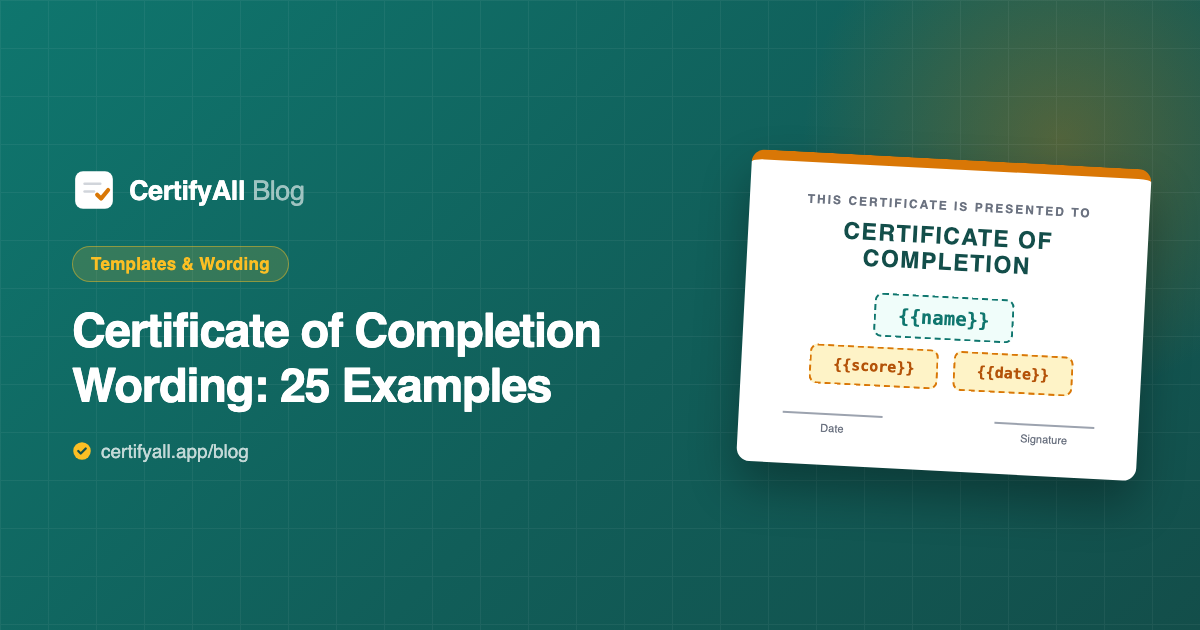
A certificate of completion needs six things: a title, a presentation line, the recipient's name, what they completed, the date, and a signature or issuing organization. Below are 25 ready-to-use wording examples for courses, training, attendance, and achievement — copy any of them directly. At the end, we show how to drop these into a reusable template so the name, date, and score fill in automatically and email themselves, instead of you retyping the wording for every recipient.
The 6 parts of certificate wording
Every credible certificate, however it's phrased, contains the same building blocks. Keep them in this order and the wording reads as official:
| Element | Example text | Placeholder |
|---|---|---|
| Title | Certificate of Completion | — |
| Presentation line | This is to certify that | — |
| Recipient name | Jordan Rivera | {{name}} |
| What they completed | the Workplace Safety Course | {{form_title}} |
| Date | June 13, 2026 | {{date}} |
| Authority | signature + issuing organization | — |
Course completion wording (6 examples)
- This is to certify that [Name] has successfully completed [Course Name] on [Date].
- This certificate is proudly presented to [Name] for completing all requirements of [Course Name].
- In recognition of the successful completion of [Course Name], this certificate is awarded to [Name] on [Date].
- [Name] has completed [Course Name], comprising [X] hours of instruction, on [Date].
- Awarded to [Name] in acknowledgment of dedication and successful completion of [Course Name].
- This is to confirm that [Name] has fulfilled all requirements and completed [Course Name].
Training & professional wording (6 examples)
- This certifies that [Name] has successfully completed the [Program Name] training program on [Date].
- [Name] has satisfactorily completed [Program Name] and met all competency requirements as of [Date].
- This certificate verifies that [Name] completed [Program Name] in accordance with [Organization]'s standards.
- Presented to [Name] for the successful completion of mandatory [Program Name] compliance training.
- [Name] has completed [Program Name] and is hereby recognized for [X] continuing-education credits.
- In recognition of professional development, this certificate is awarded to [Name] for completing [Program Name].
Attendance & participation wording (6 examples)
- This certificate of attendance is presented to [Name] for attending [Event Name] on [Date].
- This is to certify that [Name] participated in [Event Name].
- Presented to [Name] in appreciation of active participation in [Event Name].
- [Name] attended and engaged fully in [Workshop Name] held on [Date].
- This certificate acknowledges the participation of [Name] in [Event Name], [Date].
- Awarded to [Name] for attending all sessions of [Event Name].
Achievement & excellence wording (7 examples)
- This certificate of achievement is awarded to [Name] for outstanding performance in [Course Name].
- Presented to [Name] for achieving a score of [Score] in [Course Name].
- In recognition of excellence, this certificate is awarded to [Name] for [Achievement].
- [Name] has demonstrated exceptional mastery of [Subject], earning this Certificate of Achievement.
- Awarded to [Name] for achieving distinction in [Course Name] on [Date].
- This certifies that [Name] passed [Assessment Name] with a score of [Percentage].
- For outstanding accomplishment and dedication, this Certificate of Excellence is presented to [Name].
Turn your wording into a template that fills itself
Wording is the easy part — the work is putting it on a certificate for every single recipient. You don't have to. Once you've chosen your phrasing, swap the bracketed fields for placeholders and the certificate becomes a template that generates itself:
- Put the wording in Google Slides. Type your chosen line on a certificate design, but replace
[Name]with{{name}},[Date]with{{date}},[Course Name]with{{form_title}}, and[Score]with{{percentage}}. (Step-by-step in our Google Slides certificate template guide.) - Connect it to a Google Form. Install CertifyAll, paste the Slides URL, and map each placeholder to a form question.
- Let every submission generate its own. When someone fills out the form (or passes your quiz), CertifyAll fills in the wording with their real details and emails them the finished PDF — name spelled right, date correct, every time.
This is how a single piece of wording becomes hundreds of personalized certificates with zero retyping. See the full options in how to send certificates from Google Forms.
Frequently asked questions
What should a certificate of completion say?
It should include six elements: the title ("Certificate of Completion"), a presentation line ("This is to certify that"), the recipient's name, what they completed, the date, and a signature or organization name. A simple complete example: "This is to certify that [Name] has successfully completed [Course Name] on [Date]."
What's the difference between a certificate of completion and achievement?
Completion confirms someone finished a course regardless of score; achievement recognizes a measurable result — passing with a grade, ranking, or meeting a standard. Completion uses "has successfully completed"; achievement uses "has demonstrated", "achieved a score of", or "has been awarded for".
How do I write the name on many certificates without doing it manually?
Use a placeholder instead of a typed name. Type {{name}} where the name goes in a Google Slides certificate, then connect the template to a Google Form with CertifyAll. Each submission auto-fills {{name}}, {{date}}, and other fields and emails the finished PDF — no typing names by hand.
Should a certificate of completion include a date?
Yes. A completion date makes the certificate verifiable and is often required for continuing-education or compliance records. Use a {{date}} placeholder so the issue date fills in automatically when each certificate is generated.