Best Certificate Add-ons for Google Forms (2026): 4 Tools Compared
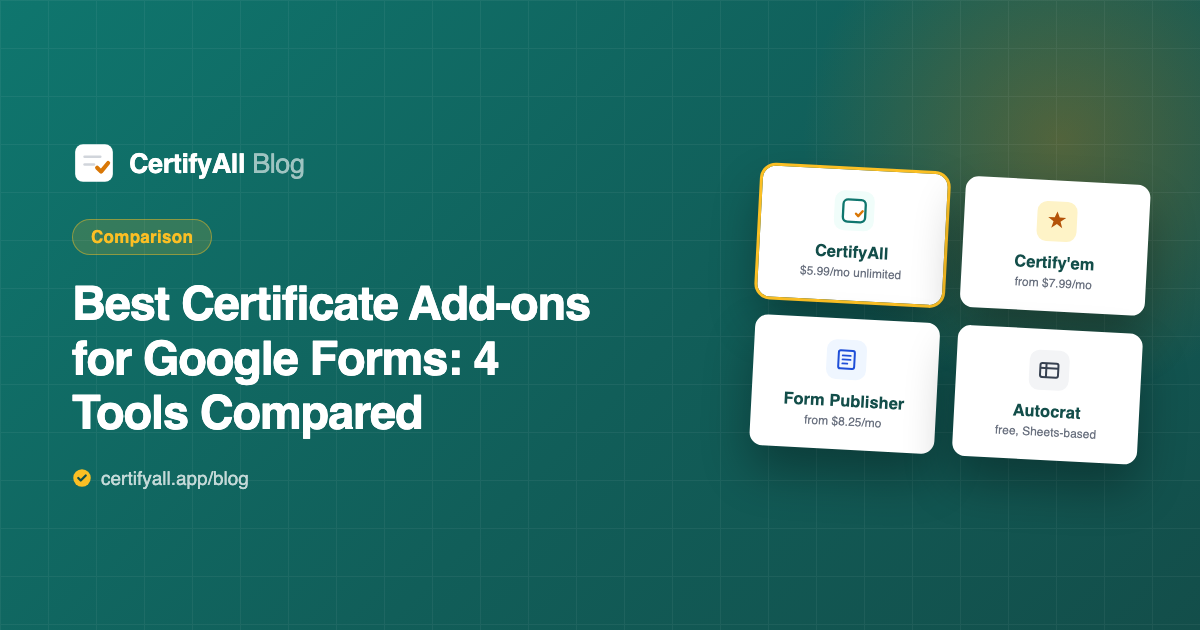
Four tools dominate the "send certificates from Google Forms" workflow in 2026: CertifyAll, Certify'em, Form Publisher, and Autocrat. They take genuinely different approaches — two are quiz-aware certificate add-ons, one is a general document generator, and one is a free spreadsheet mail-merge — and the right choice depends on whether you need quiz gating, how many certificates you send, and what you're willing to set up. We compared all four on features and verified pricing directly from each vendor's site in June 2026. (Yes, we make CertifyAll — so this comparison sticks to checkable facts, and we say plainly where a competitor is the better pick.)
Quick verdict
| Tool | Best for | Free tier | Cheapest unlimited |
|---|---|---|---|
| CertifyAll | Quiz-gated certificates from your own Slides design, minimal setup | 20 certificates/month | $5.99/mo |
| Certify'em | High daily sending volume, QR verification needs | 60 recipients/day | $7.99/mo (Gold, 400/day) |
| Form Publisher | General document generation beyond certificates | 20 submissions/month | $8.25/mo (billed yearly) |
| Autocrat | Spreadsheet power users, zero budget | Free, no caps of its own | Free |
CertifyAll — quiz-to-certificate with the least friction
CertifyAll is a Google Forms add-on built around one workflow: respondent submits (or passes your quiz) → personalized PDF certificate generated from your Google Slides template → emailed automatically → archived to Google Drive. Setup is pasting a Slides URL, mapping placeholders like {{name}} and {{score}}, and setting a passing threshold — about 2 minutes.
Strengths:
- Quiz gating plus a retry loop. Students below your passing score get an encouraging email with their score and an invitation to try again — the only tool here that treats failing students as part of the workflow (and those emails don't consume your quota).
- Everything included at every tier. Drive backup, quiz gating, and custom placeholders are in the free plan — they're not upsell features.
- Cheapest unlimited plan of the paid options: $5.99/month, no watermark, custom branding.
- Your design, untouched. The template is your own Slides file — no forced layouts.
Limitations: the free tier's 20 certificates/month is monthly volume, lower than Certify'em's daily free allowance, and free certificates carry a small watermark. There's no QR verification feature. No built-in template gallery either — you bring your own Slides design (our 15-minute template guide covers that).
Certify'em — the volume veteran
Certify'em has been certifying Google Forms quizzes for years (its site reports over 100 million certificates sent). Like CertifyAll it's quiz-aware: certificates go out automatically "with a passing percent." It offers dozens of built-in template designs plus custom template uploads, and sends certificates as PDFs or images with unique IDs.
Strengths: generous free daily volume (60 email recipients/day); built-in template gallery if you don't want to design; QR-code certificate verification on Platinum; long track record.
Limitations: Google Drive certificate storage requires the Platinum plan at $12.99/month — on CertifyAll that's free. Branding removal starts at Gold ($7.99/month or $79.99/year). The 1,500/day Platinum ceiling also requires a "mature" Google Workspace account. Pricing tiers are volume-based (recipients per day), so costs step up with scale rather than flattening at one unlimited price.
Form Publisher — the general-purpose document machine
Form Publisher (by Talarian) isn't a certificate tool — it's a document generator that merges Google Forms answers into Docs, Slides, or Sheets templates, outputs PDFs, emails them, and files them in Drive. Certificates are one of many things it can produce, alongside invoices, contracts, and approval paperwork.
Strengths: the most capable option if certificates are just one document type you generate; approval workflows; unlimited generation on paid plans; a Business plan ($57.50/month or $690/year) covering unlimited users in a Workspace domain.
Limitations: quiz-score gating isn't part of its core certificate workflow — it's built to generate a document per submission, not to decide who earned one. The free plan caps at 20 submissions/month with Form Publisher branding on notifications, and the Individual plan ($8.25/month billed yearly, $99/year) is the priciest single-user entry here.
Autocrat — free forever, spreadsheet required
Autocrat, by the non-profit New Visions Cloudlab, is the classic of the genre — 80+ million installs. It's a Google Sheets add-on that merges rows into Docs or Slides templates using <<merge tags>>, can trigger on form submissions, output PDFs, email them, and file them in Drive.
Strengths: completely free with no caps of its own (Google's daily email quotas still apply); extremely flexible — multiple templates, conditional logic via spreadsheet formulas, any document type.
Limitations: it lives in the spreadsheet, not the form, so your certificate logic sits in a separate file with its own triggers. The setup wizard is a genuine learning curve (budget 30–60 minutes), quiz gating requires helper-formula workarounds, and when a trigger silently stops — a known irritation — there's no support team, since it's a free non-profit tool.
Full feature comparison
| Feature | CertifyAll | Certify'em | Form Publisher | Autocrat |
|---|---|---|---|---|
| Runs inside Google Forms | Yes | Yes | Yes | No (Sheets) |
| Quiz passing-score gate | Yes | Yes | Not core | Formula workaround |
| Retry email for failing students | Yes | No | No | No |
| Custom Google Slides template | Yes | Yes (upload) | Yes | Yes |
| Built-in template gallery | No | Dozens | No | No |
| Drive backup on free plan | Yes | Platinum only | Yes | Yes |
| QR / unique-ID verification | No | IDs free, QR Platinum | No | No |
| Beyond certificates (invoices, docs) | No | No | Yes | Yes |
| Setup time (first certificate) | ~2 min | ~5–10 min | ~15–30 min | ~30–60 min |
Pricing compared (verified June 2026)
| Plan | Price | What you get |
|---|---|---|
| CertifyAll Free | $0 | 20 certificates/mo, quiz gating, email delivery, Drive backup, watermark |
| CertifyAll Pro | $5.99/mo | Unlimited, no watermark, custom branding, priority support |
| Certify'em Free | $0 | 60 recipients/day, templates + custom uploads, Certify'em branding |
| Certify'em Gold | $7.99/mo or $79.99/yr | 400 recipients/day, branding removed |
| Certify'em Platinum | $12.99/mo or $129.99/yr | 1,500/day, QR verification, Drive storage |
| Form Publisher Free | $0 | 20 submissions/mo, branded notifications |
| Form Publisher Individual | $8.25/mo ($99/yr) | Unlimited generations, unbranded |
| Form Publisher Business | $57.50/mo ($690/yr) | Unlimited users in one Workspace domain |
| Autocrat | Free | No caps of its own; Google email quotas apply |
Which one should you choose?
- Teacher running graded quizzes: CertifyAll or Certify'em — the two quiz-aware tools. Pick CertifyAll if you want your own Slides design, Drive records without a $12.99 plan, and failing students handled gracefully; pick Certify'em if you need more than 20 free certificates a month and like its built-in designs.
- Corporate trainer with compliance records: CertifyAll — Drive backup of every certificate is included free, and $5.99/month unlimited is the lowest flat cost at volume.
- You need certificates verifiable by third parties: Certify'em Platinum — QR verification is a real differentiator no one else here offers.
- Your forms generate paperwork beyond certificates: Form Publisher — it's the only genuine document platform of the four.
- Zero budget, high volume, comfortable with spreadsheets: Autocrat — free at any scale if you'll invest the setup time and maintain the triggers.
Frequently asked questions
What is the best certificate add-on for Google Forms?
It depends on your workflow. CertifyAll is the simplest quiz-to-certificate add-on with the cheapest unlimited tier ($5.99/month, Drive backup and retry emails included free). Certify'em offers higher free daily volume and QR verification on Platinum ($12.99/month). Form Publisher suits general document generation. Autocrat is free and flexible but spreadsheet-based.
Is there a completely free certificate add-on for Google Forms?
Autocrat is entirely free with no paid tier, but requires a Google Sheets setup and formula workarounds for quiz gating. CertifyAll is free for 20 certificates/month with quiz gating, email delivery, and Drive backup included. Certify'em's free tier allows up to 60 email recipients per day with its branding.
What is the difference between CertifyAll and Certify'em?
Both are quiz-aware certificate add-ons for Google Forms. CertifyAll uses your own Google Slides design, includes Drive backup and failing-student retry emails on every plan, and costs $5.99/month unlimited. Certify'em offers built-in designs plus custom uploads, more free daily volume (60/day), and QR verification + Drive storage on Platinum at $12.99/month.
Can Form Publisher send certificates only to students who pass a quiz?
Form Publisher is a general-purpose document generator — conditionally generating on a quiz passing score is not part of its core certificate workflow. If quiz gating is your main requirement, a quiz-aware add-on like CertifyAll or Certify'em is a more direct fit.
Is Autocrat good for Google Forms certificates?
Autocrat (by non-profit New Visions Cloudlab, 80+ million installs) is free and proven, and can trigger merges on form submissions. The trade-offs: it runs in Sheets rather than Forms, uses <<merge tag>> templates, has a multi-step setup, and can't gate on quiz scores without helper formulas.
How much does it cost to send unlimited certificates from Google Forms?
As of June 2026: CertifyAll Pro $5.99/month (unlimited). Certify'em Gold $7.99/month (400/day) or Platinum $12.99/month (1,500/day). Form Publisher Individual $8.25/month billed yearly ($99/year). Autocrat is free, subject to Google's own daily email quotas.